SDK 7 Leaves Beta for a Full Release
By Decentraland, , in Announcements
In July 2022, Decentraland’s SDK 7 was first announced with the release of the SDK 7 Manifesto, which laid out the fully detailed vision of what was planned. The inspiration behind SDK 7 was to bring Decentraland’s SDK closer to the idealized SDK that was originally imagined for the platform: an SDK that serves as an open protocol for creating metaverse content—open to any platform that may want to adopt it—accessible for anyone to use.
Now, after much hard work, both an alpha & beta release, and tons of helpful feedback from the community, SDK 7 is ready for its full launch! Try it out now by following these directions. To celebrate, the Decentraland Foundation will be hosting a Game Jam very soon—more news to come on June 19, so stay tuned!
This long-term project required rewriting much of the SDK from the ground up to make its foundations as solid and as possible. These foundations were rebuilt with three key principles in mind:
Usability: Make development easier for content creators and pave the way for the Decentraland Editor, a powerful scene builder that is visually-based (like the Builder) but still allows for full control of a scene’s code.
Performance: Allow players to enjoy a smoother experience, without putting the full burden of optimizing on creators.
Portability: Make the Decentraland SDK more adaptable to other engines and platforms.
In addition to improving the scene development process and making it more accessible, SDK 7 should also make it easier to create any variety of alternative projects upon the Decentraland ecosystem, improve performance, and pave the way for more robust and streamlined multiplayer functionality—to name just a few of its benefits. Get a full breakdown in the SDK 7 Manifesto.
New capabilities
While the full potential of SDK 7 will be realized once the Decentraland Editor is complete and the two can be used in unison, SDK 7 on its own introduces a number of exciting new features and meaningful improvements for you to enjoy:
Major features
Improved raycasts, including custom collision layers, continuous rays, various global and local ways to determine directions and helper functions
A brand new UI system, based on FlexBox: Use dynamic HTML-like tags to build out any UI you want. The new UI syntax includes handy abstractions like dropdown and input box default types and 9-slicing. Check out this simple scene for an example of what that looks like.
Improved performance thanks to an optimized flow of internal messages and the UI system and more explicit handling of mutable vs immutable data. See the appendix at the end of this article for some comparisons.
Use the latest version of TypeScript (ES6): This gives you access to more powerful features, like the Map() function.
Many more external JavaScript and TypeScript libraries are now compatible and can be used in Decentraland scenes, as the SDK is no longer limited to just those packaged with AMD.
Minor features
Official support for the AvatarShape component, to render NPC avatars
All collision layers can be freely assigned to either the visible geometry of a model, or to its invisible “collider” geometry.
Obtain the loading state of a 3D model, to ensure the model is already being rendered.
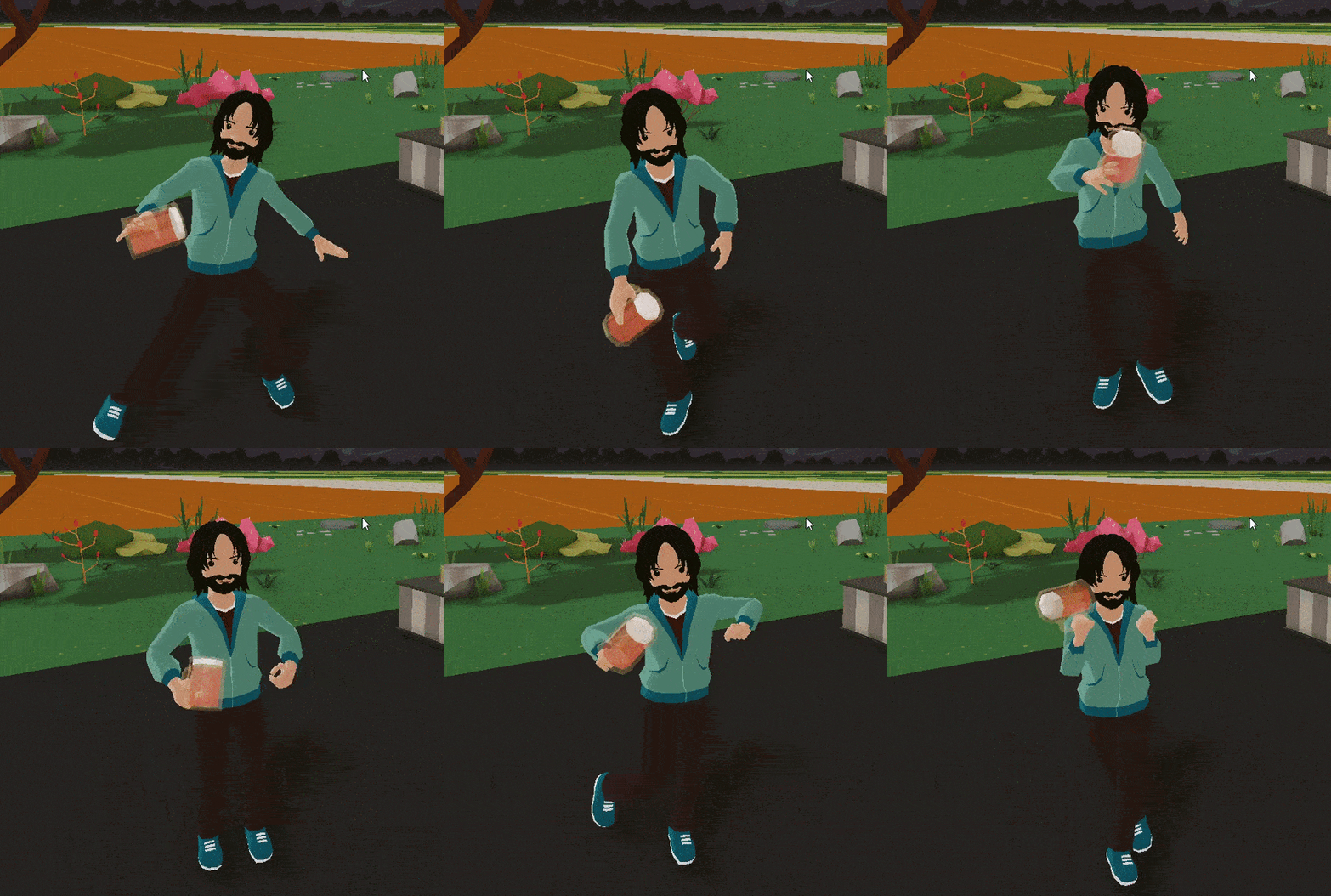
Attach an entity to a player’s hand that follows all armature animations.
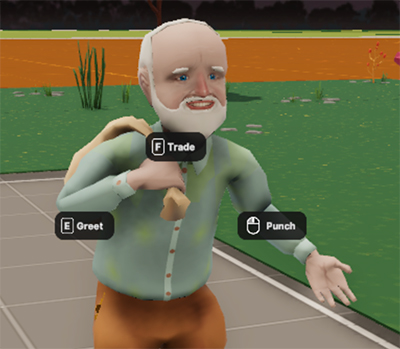
Support multiple different button events in a single entity, for example having an NPC such as the one below that you can greet with E, trade with using F, or punch with the left mouse button. All three options will appear when hovering over the NPC.
sdk7-old-man Modify the pitch of an audio sample. For example you can use random tiny pitch shifts to make recurring sound effects less monotonous, or you can use this to build a whole musical interactive interface.
Fetch the position & rotation of both the camera and the avatar separately, which differ in 3rd person camera mode.
Image textures and video textures are mapped in the same orientation, removing a common frustrating problem that would happen when alternating between both in the same screen.
The syntax of SDK 7 is often more succinct. If you’ve used older versions of the SDK, it might take some time to get used to the new syntax, but it has its elegance, and eventually the Editor will be able to write out most of the code for you.
A powerful Editor to go with SDK 7
The main goal of SDK 7 is to pave the way for the powerful Decentraland Editor, still under development, which will allow creators to simultaneously work with visual interfaces as well as code. The first version of the Decentraland Editor has already been released and serves as a useful tool that helps to both streamline and simplify the process of scene development—but this simplification is only the beginning.
The ultimate plan for the Editor is to enable completely visual editing, with a drag and drop interface, for those who want it. This would mean coding knowledge wouldn’t be as necessary for scene development, making building in Decentraland more accessible for all. While the Editor isn’t just there yet, each of the updates it will receive over the coming months will bring creators a step closer to the dream of code-free creation. In terms of upcoming changes, creators can look forward to soon creating static scenes without code, although it will still be necessary to jump into code to add any kind of interactions. Stay tuned for more news!
If you haven’t tried out the Decentraland Editor yet, it’s now the best tool available for developing Decentraland scenes, both for SDK 7 and for the older SDK 6, so be sure to test it out next time you’re building. Get it here.
Learn more about the Editor:
Note: There are now two copies of the Editor, “Decentraland Editor SDK 6” and “Decentraland Editor SDK 7”. As their names suggest, each version of the Editor is meant for working on Decentraland scenes built with different SDK versions. You can have both extensions active in your same installation of Visual Studio Code, and use them accordingly depending on what project you're working with.
The road to SDK 7
Back in late November of 2022, the alpha version of SDK 7 was released, allowing the eager DCL community to start testing and tinkering away with it. Your feedback was very valuable, so thank you for testing it out and sharing your thoughts!
PatMac’s work especially can be highlighted as he rewrote his very useful DCL-Dash library using SDK 7. In older versions, this library has been a huge help to other creators, simplifying several complicated tasks. Having this same library built on SDK 7 will help others get a headstart too!
Check it out: https://github.com/pmacom/dcldash-astar
Between the alpha and beta release of SDK 7, a large number of improvements and fixes were applied. Additionally, a few essential features, such as video streaming and UI click events, that were not included in the alpha version were added to the beta version. Read up on Foundation policies in regards to what is considered alpha & beta and versioning in general in the Docs section on the topic.
In more recent news, at the start of 2023, the DAO assembled a brand new Protocol Squad team. This team is dedicated to two tasks:
Publishing refined and detailed documentation of all of the internal workings of the “Decentraland Protocol”, including every point of contact between the SDK and other parts of the platform.
Building alternative clients that render Decentraland on other engines, including Godot, Babylon, or Bevy.
In the past, it wasn’t realistic to embark on these endeavors, but SDK 7 is built in such a way that it allows for neat interfaces and easier extensibility, making these projects achievable. These initiatives make the goal of transforming the Decentraland SDK into an open protocol for metaverse content a lot more tangible. Read more about the protocol squad, and view their ongoing work here.
Try out SDK 7 for yourself
If you want to jump into creating scenes with SDK 7, download the Decentraland Editor SDK 7 extension for Visual Studio Code. See instructions here.
If you had already been working with the Alpha or Beta release of SDK 7, you will find that there are a number of breaking changes once you move to the newest, full version. Most issues are caused by minor syntax changes, but you can look at the whole list of changes in the release notes, and adjust accordingly.
Check out the following to learn more about SDK 7:
SDK 7 Docs - Look for the Scenes (SDK7) section in the menu on the left for more options
Join the Foundation’s recurring Technical AMA sessions, where you can ask their dev teams questions directly! Find out more about these sessions here, and check this page for details on upcoming meetings.
On Decentraland’s Discord, join the sdk7-beta (might need another rename) channel to share any questions or feedback
Once you’re ready to dive into SDK 7, use it to create scenes for your World and share it with the community on Twitter with #DCLWorlds!
Appendix: Performance testing
This new version of the SDK makes scenes run significantly faster than before, allowing you to create richer experiences for your players, and allowing players with lower-end devices to be less limited when visiting your content.
Below you can find the results of testing a simple scene, specially built to put the communications with the engine to the test, as this has historically been a main bottleneck. This scene sends thousands of position updates on every tick, as a large set of cubes make waves that smoothly float up and down. The scene is built identically in both SDK 6 and SDK 7, with varying amounts of floating cubes to stress the scene even further. All tests were run on the same machine, under the same conditions.
16x16 cubes (256 updates per frame)
SDK 6: 42 FPS
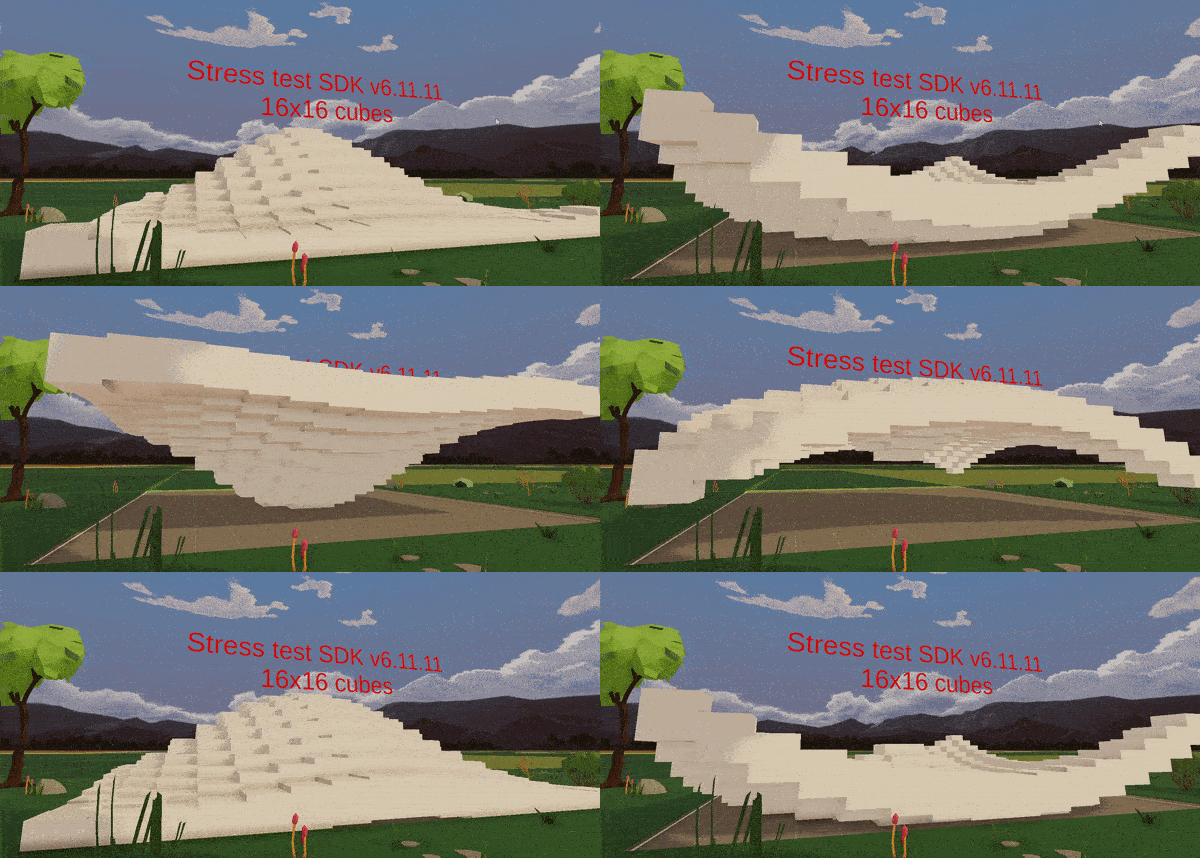
SDK 7: 60 FPS
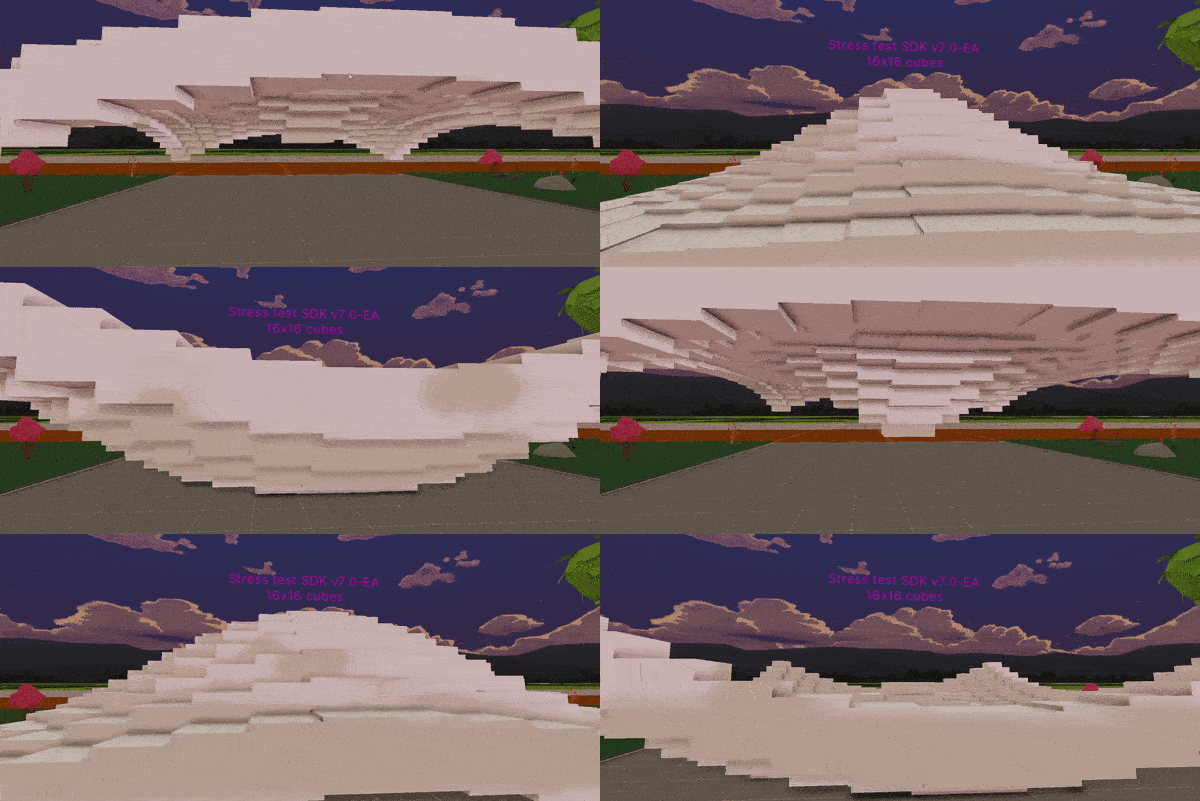
Improvement: 40%
32x32 cubes (1024 updates per frame)
SDK 6: 10 FPS (and the scene is broken)
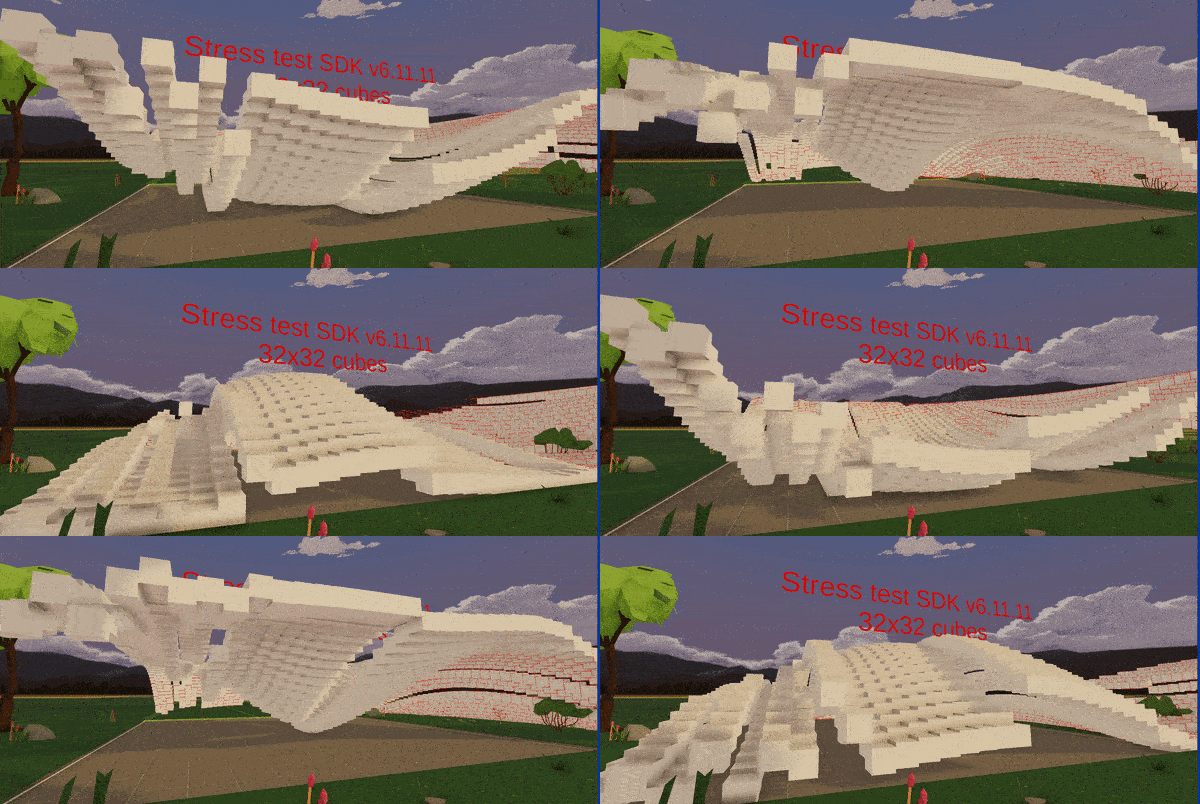
SDK 7: 40 FPS
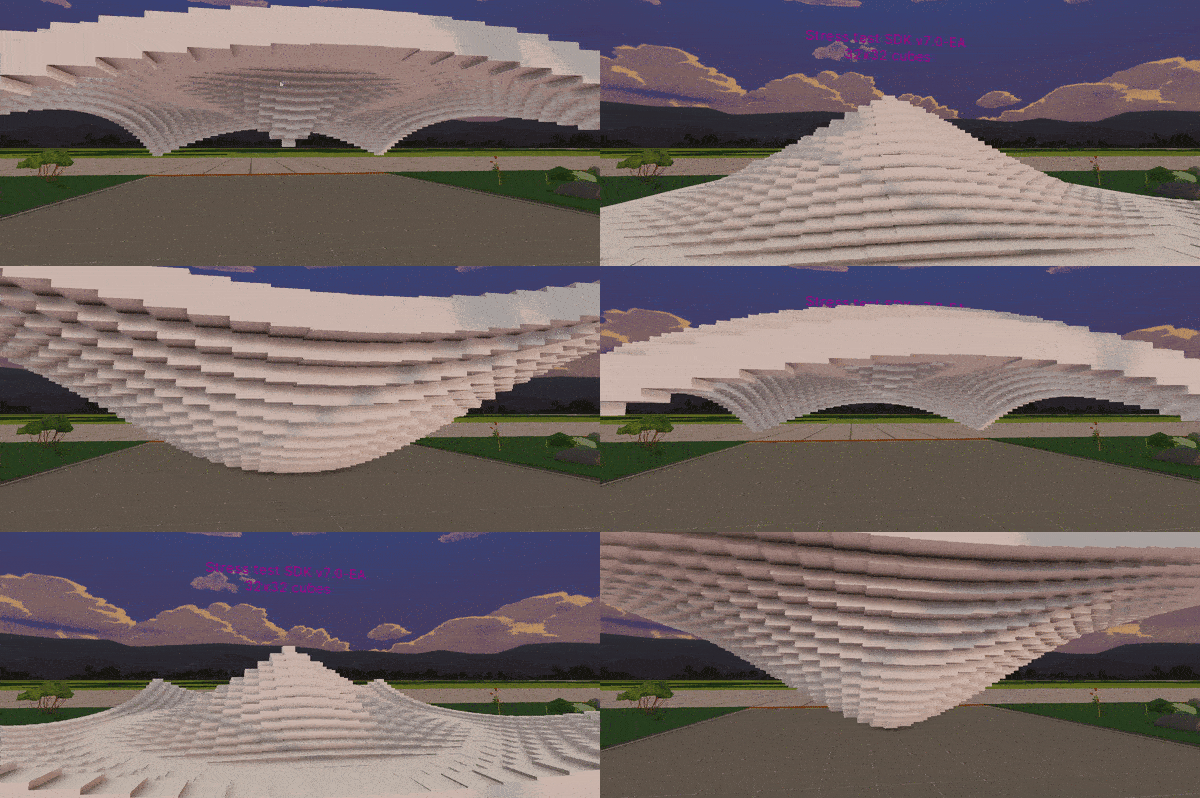
Improvement: 400%
Another well known performance bottleneck of Decentraland scenes has always been the UI. Any scenes that include a UI have always experienced less than ideal performance, which would get worse as more elements were added or changed in the UI. In SDK 7 this bottleneck has been dramatically reduced. A scene was built with SDK 7 specifically to stress test UI elements, this scene creates lots of UI elements in every frame, an extreme and unrealistic scenario that is not designed to look pretty. In this case it’s harder to compare apples to apples between SDK versions, because of how much the UI scripting has changed, but it suffices to say that if this same scene was reproduced with SDK 6, it wouldn’t be playable.
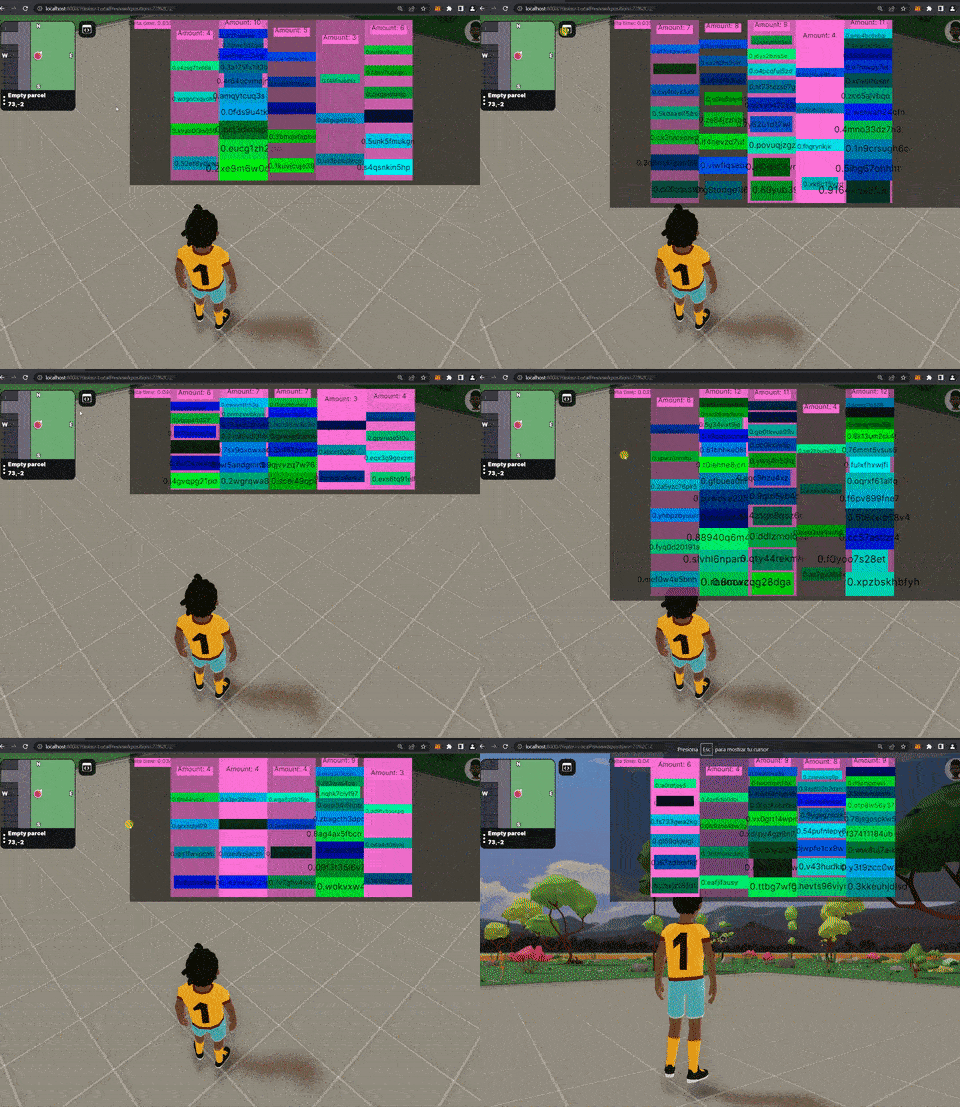
This example scene, using the same machine and setup as in the prior tests, also runs at 59 FPS.
To run your own tests on this scene, you can find it in the Goerli Plaza repository, under the folder “dbmonster”.